There’s something timeless about a good T-shirt. Comfortable, versatile, and expressive, T-shirts have become more than just clothing—they’re a canvas for creativity. With the rise of DIY crafting, Cricut machines have transformed how we design and personalize apparel. Among the many projects Cricut users love, quote T-shirt designs are one of the most popular because they allow makers to combine words, fonts, and graphics into wearable art.
Cricut quote T-shirt designs give you unlimited options. From inspirational sayings to witty one-liners, the right quote can make a shirt that people remember and want to wear over and over.
In this blog post, we’ll explore 6 Cricut quote T-shirt design ideas that will inspire your creativity. Each section will break down the style, design elements, and tips to help you bring these ideas to life.
1. Inspirational Quote T-Shirts: Motivation You Can Wear

Inspirational quotes are some of the most popular Cricut quote T-shirt designs because they resonate with almost everyone. Whether it’s about chasing dreams, staying strong, or practicing self-love, motivational words look amazing on a well-crafted T-shirt.
Step-by-Step Tutorial
- Choose Your Quote: Pick something short, punchy, and uplifting (e.g., “Believe in Yourself”). Longer quotes can work, but they should remain legible from a distance.
- Open Cricut Design Space: Start a new project and insert a text box. Type your quote.
- Select Fonts: Combine two fonts for impact. For example, use a bold sans serif for “Believe” and a flowing script for “yourself.” Cricut Design Space includes fonts, but you can also upload custom ones.
- Arrange the Layout: Experiment with line breaks. Stacking words vertically (BELIEVE / IN / YOURSELF) creates a poster-like effect, while a horizontal layout feels modern and minimal.
- Add Decorative Elements: Use stars, arrows, or underline flourishes from Cricut’s image library. Keep them subtle so the words remain the star.
- Cut the Design: Place heat transfer vinyl (HTV) shiny side down on your Cricut cutting mat. Mirror the design before cutting—this is crucial for HTV.
- Weed the Excess: Use a weeding tool to peel away the vinyl around your letters, leaving only the quote.
- Prepare the Shirt: Pre-wash and iron it to remove wrinkles. Place it flat on a heat-resistant surface.
- Transfer the Design: Use a heat press (set at 315°F for 30 seconds for Cricut Everyday Iron-On) or an iron with firm, even pressure.
- Peel and Finish: Allow it to cool slightly, then peel away the transfer sheet. You now have a motivational shirt ready to wear!
- Color palette: Stick to minimal tones like black and white for timeless appeal or choose uplifting colors such as yellows and blues.
Advanced Variation
For an elevated look, try layering metallic vinyl behind your main text or use holographic vinyl for the word you want to emphasize.
Example Quotes:
- “Believe in Yourself.”
- “Dream Big. Work Hard.”
- “Be the Energy You Want to Attract.”
Pro Tip:
Add small icons or simple graphics (like stars, hearts, or arrows) around the text to make the design more dynamic without distracting from the quote.
2. Funny and Witty Quotes: Humor in Every Outfit
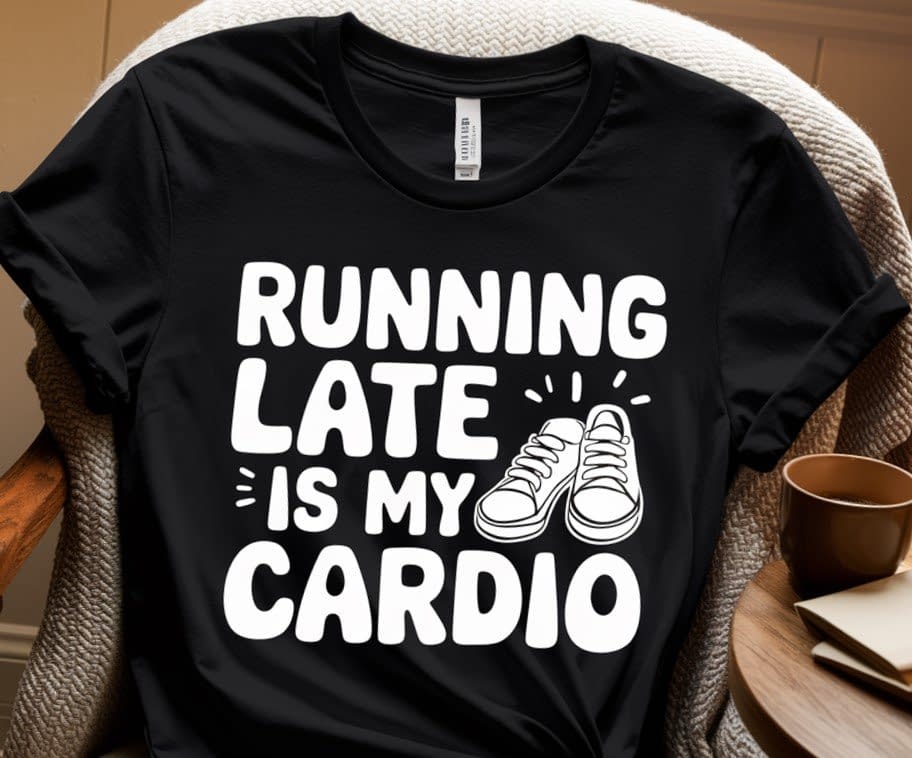
Sometimes the best T-shirts are the ones that make people smile. Funny and witty quotes are perfect for casual wear and can easily become conversation starters. These Cricut quote T-shirt designs let your personality shine while giving others a laugh.
Step-by-Step Tutorial
- Pick Your Quote: Choose something lighthearted (e.g., “Running Late Is My Cardio”).
- Typography Choices: Playful fonts like bubble letters or handwritten doodles work well. Pairing with a clean secondary font keeps it balanced.
- Add Graphics: Insert a tiny sneaker graphic next to “Cardio” or a steaming coffee cup for “Powered by Coffee.”
- Arrange for Maximum Humor: Place the punchline (e.g., “Cardio”) in larger text so it grabs attention immediately.
- Cut the Vinyl: Choose vibrant colors—bright yellow, neon green, or classic white against a black shirt. Don’t forget to mirror your design before cutting.
- Weed Carefully: Funny quotes often have more curves and small letters; take your time so the vinyl doesn’t rip.
- Apply the Design: Use a heat press for consistency. For smaller, quirky designs, consider off-center placement (like bottom corner of the shirt).
- Test Washability: Funny shirts get worn often—do a test wash before gifting or selling to ensure durability.
Advanced Variation
Use glow-in-the-dark vinyl for night events or glitter HTV for extra flair when the joke needs a bold punch.
Example Quotes:
- “Running Late Is My Cardio.”
- “Introverted But Willing to Discuss Cats.”
- “I’m Not Lazy, I’m on Energy-Saving Mode.”
Pro Tip:
Keep the designs clean and avoid overcrowding. The humor should be clear at first glance, so focus on typography and simple visuals.
3. Family and Relationship Quotes: Heartfelt T-Shirts
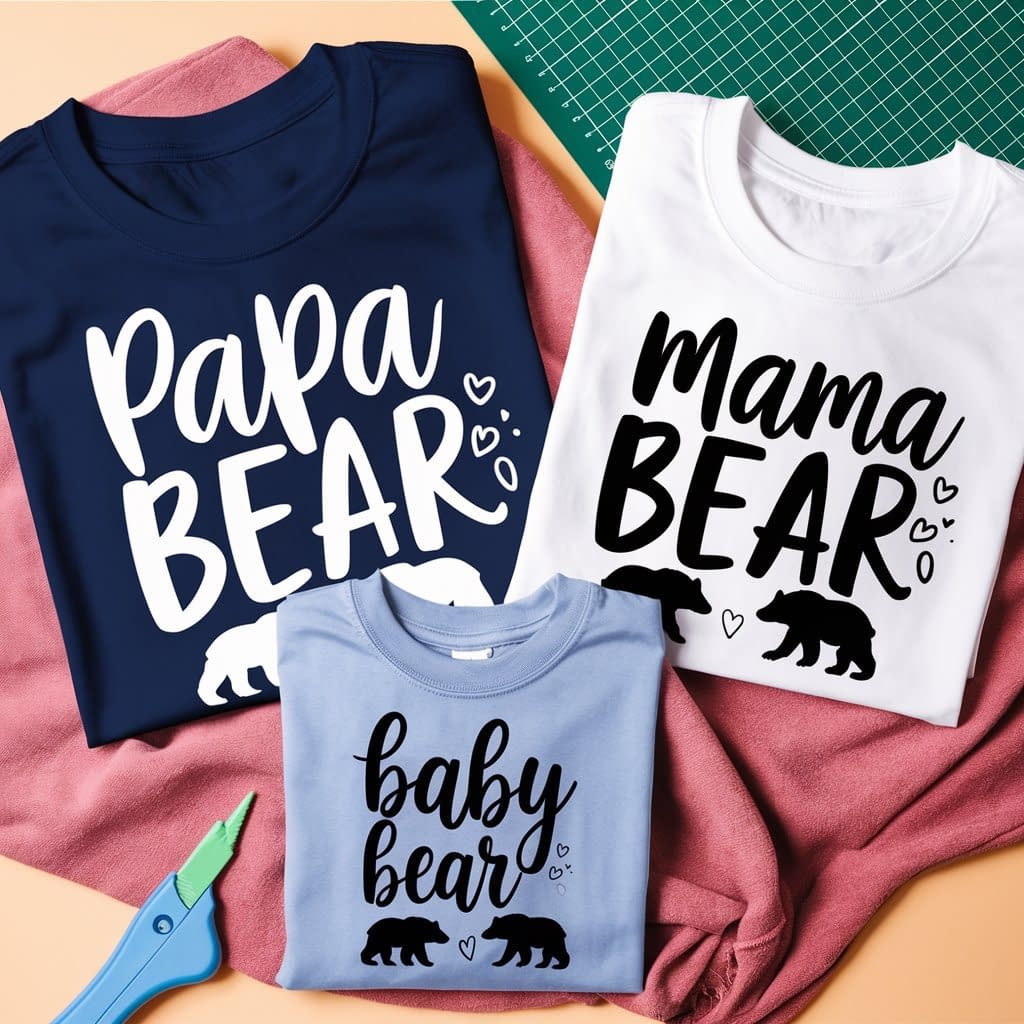
Family-themed quotes make amazing personalized T-shirts. They’re perfect for family reunions, special holidays, or simply to show love for your parents, kids, or siblings. Cricut makes it easy to create matching sets that strengthen those family bonds.
Step-by-Step Tutorial
- Pick a Theme: A popular option is Mama Bear / Papa Bear / Baby Bear. Another is a unified family quote across all shirts.
- Design Each Shirt Individually: In Design Space, create separate files for each member. Ensure font styles match for cohesion.
- Add Symbols: For “Bear” themes, add bear silhouettes. For a wedding anniversary shirt, add hearts or rings.
- Pick Coordinating Colors: For example, all black shirts with white text. Or use one vinyl color per family member (blue for dad, pink for mom, green for kids).
- Cut and Weed: Cut each design on HTV, carefully weeding the intricate elements.
- Press and Apply: Apply with a heat press, paying extra attention to alignment when making multiple shirts so they look consistent.
- Check Group Appearance: Lay all finished shirts side by side to ensure they look like part of a set.
- Font choice: Handwritten or script fonts add warmth and personal touch.
Advanced Variation
Create a family “logo” or crest with a shared phrase (e.g., “The Johnsons – Est. 2002”) and place it on each shirt in addition to the individual quotes.
Example Quotes:
- “Family: Where Life Begins and Love Never Ends.”
- “Mama Bear / Papa Bear / Baby Bear.”
- “Together We Have It All.”
Pro Tip:
When making matching sets, ensure that the designs work individually and as part of a group. This way, each shirt looks great alone while still contributing to a family theme.
4. Fitness and Lifestyle Quotes: Wear Your Motivation
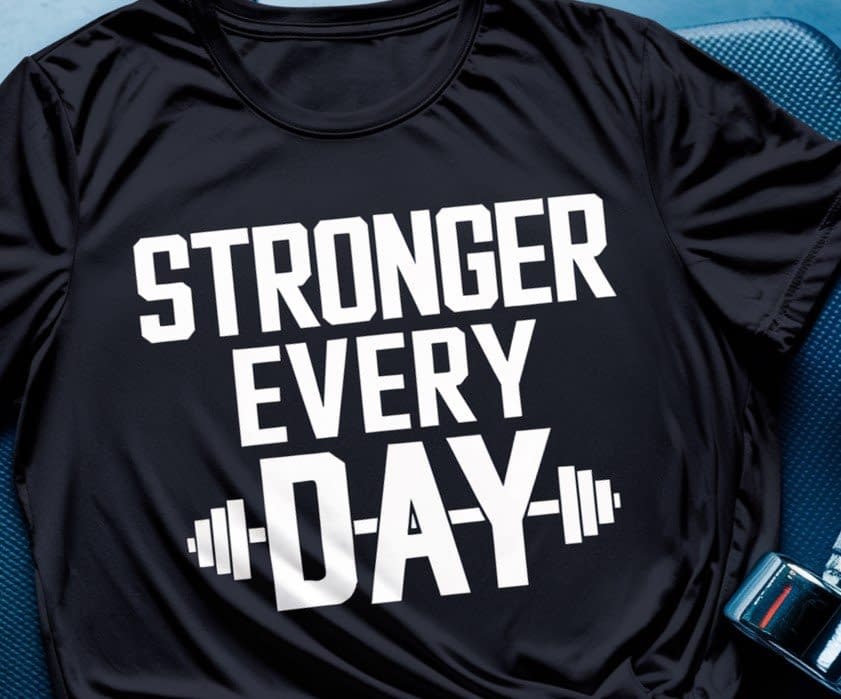
Fitness enthusiasts love motivational apparel. Cricut quote T-shirt designs in this category are perfect for gym-goers, yoga lovers, and anyone working toward a healthier lifestyle.
These designs must be bold, durable, and sweat-resistant.
Step-by-Step Tutorial
- Choose Your Quote: Select something short and powerful like “Stronger Every Day.”
- Select Bold Fonts: Thick block fonts are best for gym wear. They look strong and are easier to read from afar.
- Add Icons: Insert a small dumbbell, barbell, or yoga pose silhouette to reinforce the theme.
- Color Scheme: Neon vinyl on black shirts creates a high-energy effect.
- Cut and Weed: Mirror the design, cut on stretch HTV (designed for workout apparel), and weed out excess.
- Heat Transfer: Use a heat press for maximum durability. Press at 315–330°F with firm pressure for about 30 seconds.
- Post-Pressing Care: Stretch the fabric gently to ensure the vinyl adheres without cracking.
- Graphics: Incorporate small icons such as dumbbells, yoga poses, or sneakers.
Advanced Variation
Experiment with layering two colors—use a shadow effect behind the main text to make it pop.
Example Quotes:
- “No Pain, No Gain.”
- “Stronger Every Day.”
- “Namaste All Day.”
Pro Tip:
Keep in mind that workout shirts need to be comfortable. Choose breathable T-shirt materials and iron-on vinyls that stretch well to maintain the design quality even after multiple washes.
5. Seasonal and Holiday Quotes: Festive Fun All Year
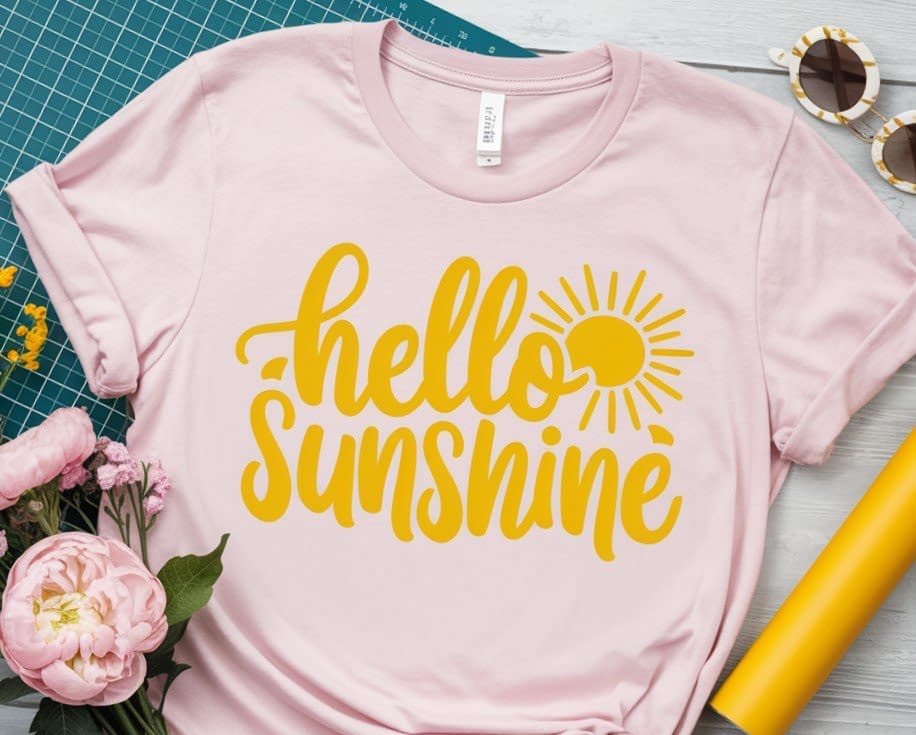
Holiday quote T-shirts are always in demand. Cricut allows you to create unique designs for every occasion.
Step-by-Step Tutorial
- Pick a Holiday: Example—Seasonal with “Hello Sunshine”
- Add Seasonal Graphics: Sun, snowflakes, eggs, or fireworks elevate the theme instantly.
- Layout the Design: Balance text and icons so neither overpowers the other.
- Cut the Vinyl
- Weeding Tip: Holiday designs often involve detailed icons—go slowly to avoid tearing.
- Heat Transfer: Apply with a press and allow designs to cool before peeling.
- Finishing Touch: Consider packaging them as gifts with matching tags.
- Font choice: Use decorative fonts with seasonal flair
Example Quotes:
- “Spooky Vibes Only.”
- “Hello, Sunshine.”
- “New Year, Same Me.”
6. Minimalist Quotes: Simple Yet Stylish
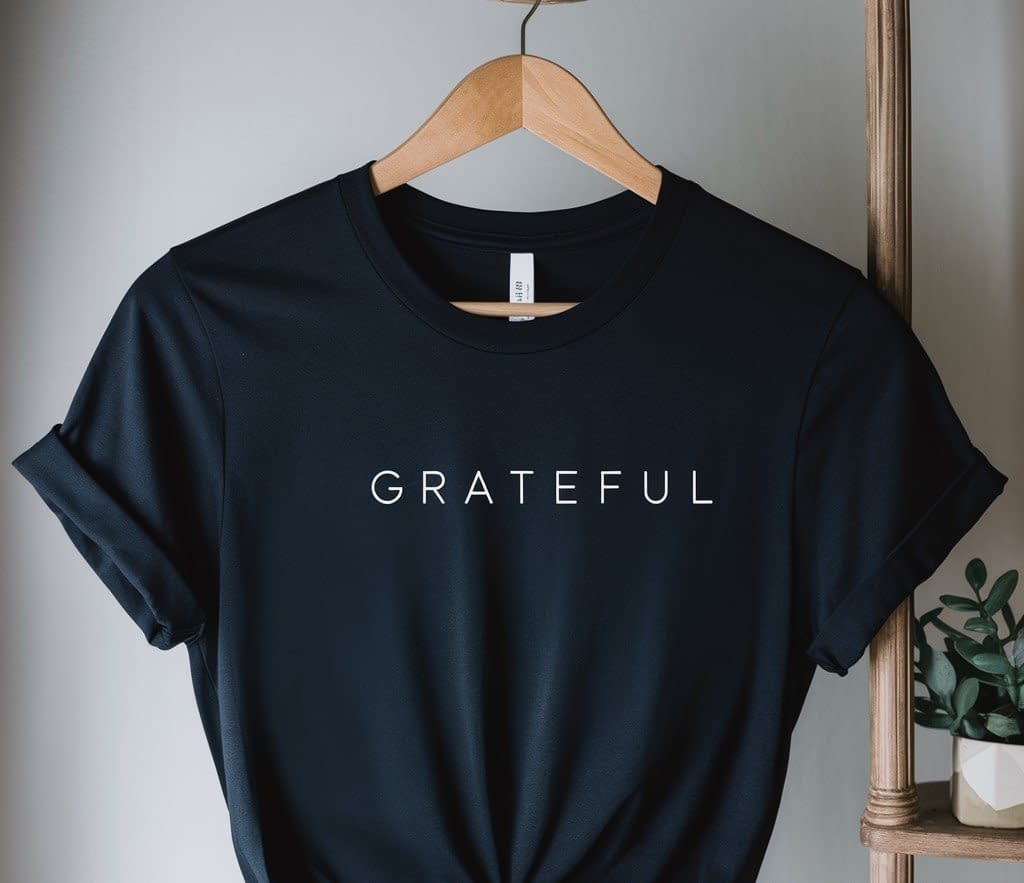
Sometimes less is more. Minimalist Cricut quote T-shirt designs rely on clean typography and subtle placement to create timeless fashion pieces. They’re perfect for everyday wear and can easily complement any outfit.
Step-by-Step Tutorial
- Choose a Short Quote: Single words or two-word phrases like “Grateful” or “Keep Going” work best.
- Pick Clean Fonts: Sans serif, typewriter, or thin-line fonts keep the look sleek.
- Placement Ideas: Try left chest, sleeve, or along the hem instead of the center chest.
- Vinyl Colors: Stick with neutrals—white, black, beige, or gray. Metallics also look chic if kept subtle.
- Cut and Weed: Minimalist designs usually have fewer cuts, but precision matters since flaws are noticeable.
- Apply the Design: Press carefully—minimalist shirts highlight alignment mistakes, so measure twice.
Advanced Variation
Use tone-on-tone designs (e.g., matte black vinyl on a black shirt). It’s subtle but stylish, especially for modern fashion lovers.
Example Quotes:
- “Grateful.”
- “Do More With Less.”
- “Keep Going.”
Pro Tip:
Minimalist designs often work best on higher-quality T-shirts. A simple quote paired with premium fabric creates a stylish and lasting piece.
Tools and Materials You’ll Need
To bring your Cricut quote T-shirt designs to life, here’s a quick checklist of essentials:
- Cricut machine (Explore, Maker, or Joy)
- Heat transfer vinyl (HTV) or iron-on materials
- Weeding tools
- Heat press or household iron
- Plain T-shirts (cotton or blends)
Extra Tips for Perfect Cricut Quote T-Shirt Designs
- Test your vinyl settings before cutting to avoid wasting materials.
- Use transfer tape for precise placement of your designs.
- Pre-wash your T-shirts to prevent shrinking after applying the vinyl.
- Layer designs carefully—especially if you’re mixing fonts and graphics.
- Press firmly and evenly to make sure the vinyl adheres properly.
Conclusion: Wear Your Words with Cricut
T-shirts are more than just clothing—they’re a way to share your personality, passions, and humor with the world. With Cricut, making custom quote T-shirts is fun, rewarding, and surprisingly easy once you understand the basics.
From inspirational and witty quotes to family themes, fitness sayings, seasonal fun, and minimalist styles, these 6 Cricut quote T-shirt design ideas give you endless ways to create something unique. Whether you’re designing for yourself, a loved one, or even as part of a small business, these ideas will help you craft shirts that people are excited to wear.